Automate Your Simulation Workflows for Faster, More Reliable Analysis Using Femap’s API
Blog Article | April 3, 2026

Author: Andy Haines
Principal Application Engineer
- Over 25 years of experience in engineering simulation and analysis
- Former member of the original development team for Simcenter Femap, contributing to the software’s foundation and evolution
- Frequent presenter at global user conferences and industry events, showcasing new features and best practices in FEA workflows
- At Saratech, helps customers optimize engineering workflows, improve simulation efficiency, and implement industry best practice
Summary & Key Topics
Automating simulation workflows with the Femap API enables engineering teams to reduce manual effort, improve consistency, and deliver more reliable analysis results. By leveraging scripting and integration capabilities, organizations can streamline repetitive tasks such as model setup, data transfer, and post-processing—minimizing errors and accelerating the overall simulation cycle. With the ability to standardize workflows and reporting, the Femap API helps teams scale efficiently while maintaining high-quality, repeatable outcomes.
Key Topics Covered:
- Femap API Overview – Understand how the API enables automation, customization, and integration with external tools
- Workflow Automation Benefits – Improve efficiency, consistency, and accuracy across simulation processes
- Data Integration & Scripting – Use scripts to transfer and apply data (e.g., CSV-based loads) directly into models
- Standardized Reporting – Automate post-processing to generate consistent, repeatable analysis reports
- Real-World Use Case – Apply load data across multiple models using API-driven workflows
- Best Practices for Getting Started – Avoid common pitfalls with scalable, well-documented automation strategies
Introduction
Finite element analysis plays a critical role in modern product development. Model preparation and post-processing can be manual, time consuming, and error prone. While Femap provides powerful interactive tools, automation ensures the repeatability of routine workflows, standardizes processes, and reduces human introduced errors – maximizing efficiency and reducing the need for rework.

What Is Femap API?
Femap API (Application Programming Interface) allows engineers to automate, extend, and customize Femap.
Key Features of the Femap API:
Scripts are written in a Visual Basic–style scripting language within Femap’s Integrated Development Environment (IDE) or within the IDE of your choice
COM-based access allows seamless integration with other common Windows applications such as Microsoft Office, Matlab, etc.
The API provides programmatic access to nearly every aspect of Femap, allowing a high level of automation
Key PMI Elements
Automation via the API provides several strategic advantages:
Improved Consistency
Reduce variation from analyst to analyst by ensuring workflows are completed identically
Reduce Errors
Minimize human introduced errors by automatically transferring data between tools
Maximize Efficiency
Automate routine workflows to increase the speed of your analysis cycle
Standardized Post Processing Reports:
Automatically generate reports in the same format to quickly see how design changes affect results
Script Example
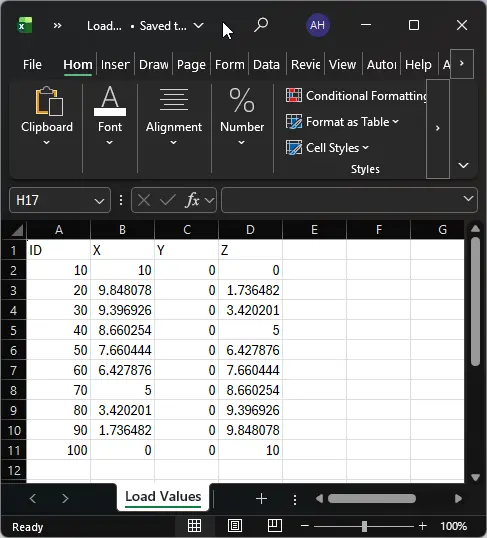
Load values for a structure have already been determined by “Group A” and may need to be applied into several other groups’ models. These loads are provided to the other groups as *.CSV (Comma-Separated Value) files.
Because of the criticality of these loads, they need to be applied at very specific locations, so a group creates nodes at these locations. Another group can inform “Group A” of the node IDs they should be using for each load or the group themselves and simply alter the .CSV files themselves.
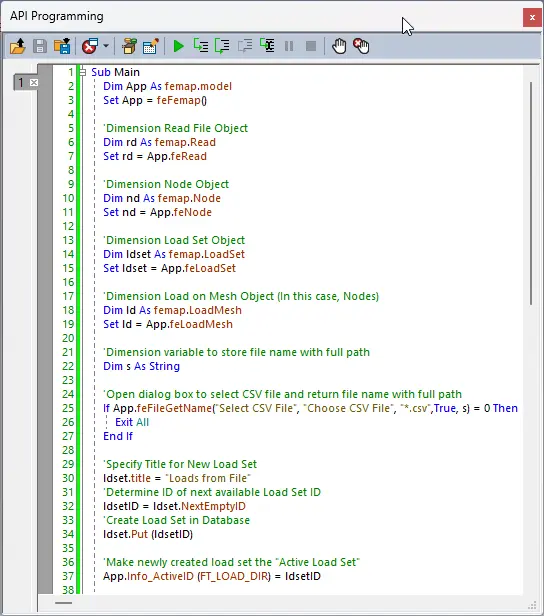
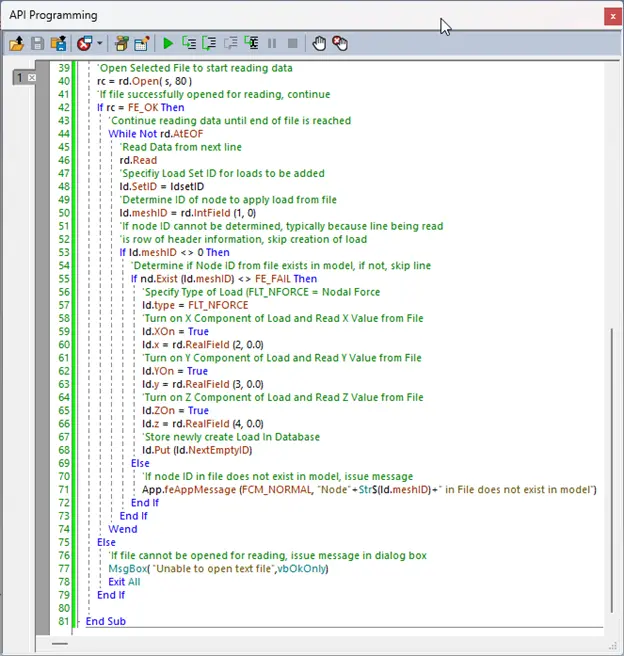
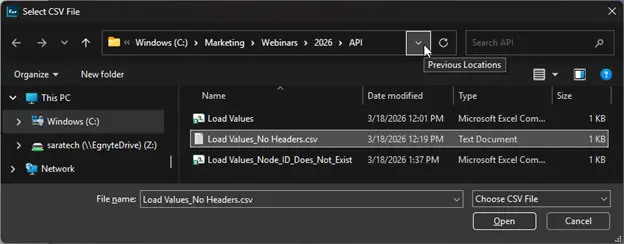
An API script can be written to read load values out of these files and into an existing model onto nodes that have been created as locations for those loads. The script below highlights how organizations can leverage Femap’s built-in capabilities to read data from a file using via the Read File Object available in the API
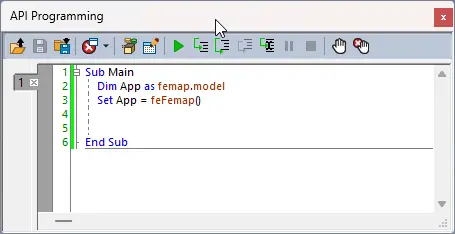
How to Open the IDE
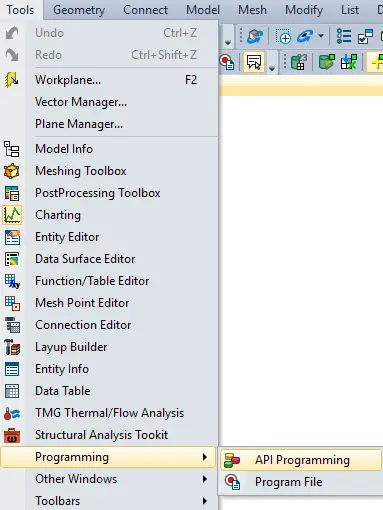
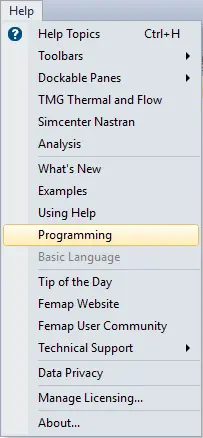
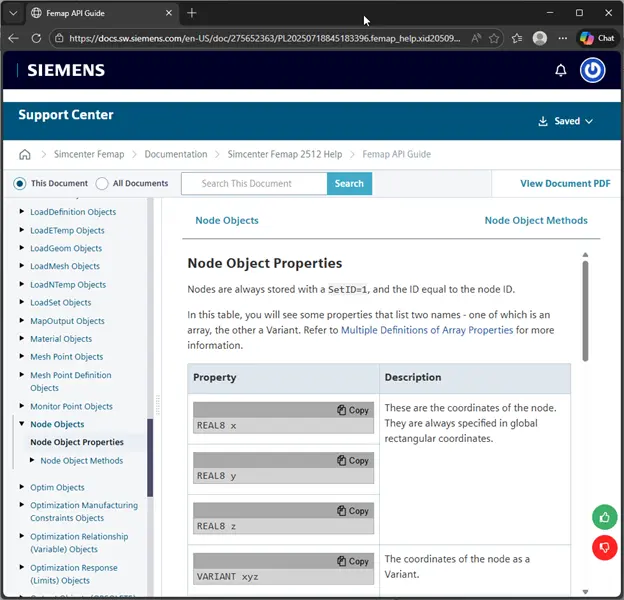
How to Access the API Programming Reference Manual
IDE Dockable Pane
Help for Node Object Properties
IDE Containing “Commented” Code
Load Values shown in Excel: Saved as a Comma-Separated Value (*.CSV file)
Dialog Showing Selection of *.CSV file:
Model Showing IDs of Nodes to Be Loaded Before Using the API

Model Showing Nodal Loads Created by API

Accelerate Your Simulation Workflows With Saratech’s Analysis Services
Don’t let repetitive setup and manual analysis slow down your engineering projects. Saratech’s experienced simulation engineers can help.
Common Mistakes When Getting Started With Femap API
Trying to Automate Everything at Once
Start with a single complex workflow—such as batch model generation, parametric studies, or standardized reporting—and add additional automation gradually.
Not Testing Scripts on Smaller Models
Validate scripts on smaller examples before scaling to large models to ensure predictable results.
Poor Script Documentation
Document assumptions, inputs, outputs, and workflow logic to ensure maintainability across teams.
Conclusion
Automation with the Femap API empowers engineering teams to move beyond manual, time-consuming processes and adopt more efficient, standardized workflows. By reducing variability, minimizing errors, and accelerating repetitive tasks, organizations can focus more on engineering insight and less on setup and data management.
Whether you're starting with a single use case—like automating load application from external data—or expanding into broader workflow automation, the Femap API provides a scalable path to improving simulation performance and consistency. With the right approach and best practices in place, teams can significantly enhance productivity while delivering more reliable, repeatable results.
For organizations looking to take their simulation workflows even further, partnering with experienced experts can help identify the highest-impact automation opportunities and implement solutions quickly and effectively.
Additional Resources
Built-In Femap API Scripts Are Available in the "Custom Tools" Toolbar
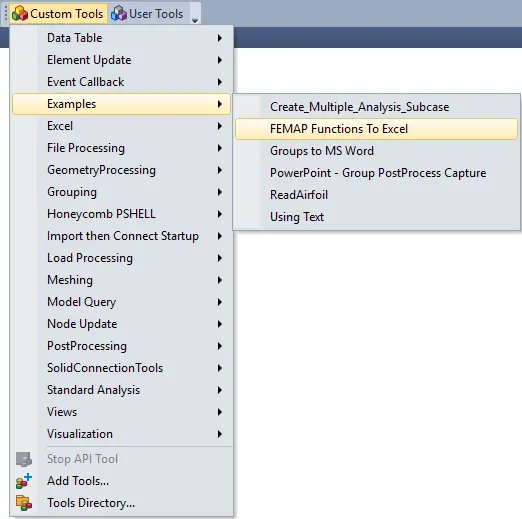
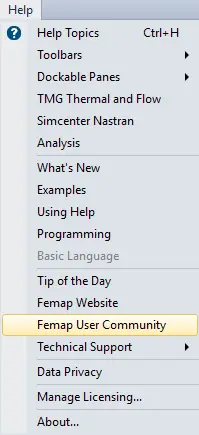
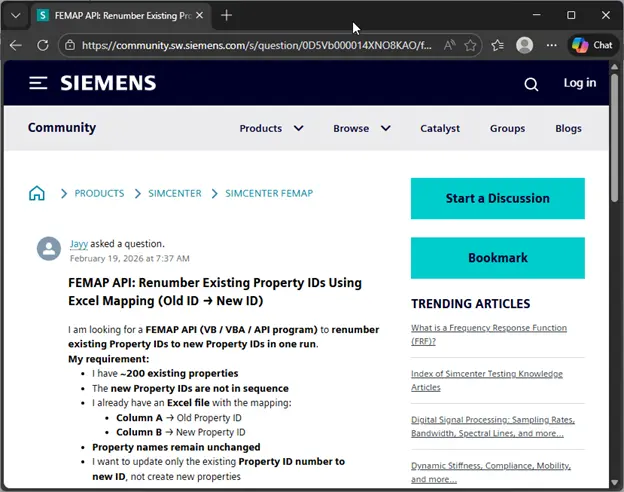
Access Community Questions & API Scripts from Femap Users Around the Globe via the “Femap User Community”