

What is CAM (Computer-Aided Manufacturing)?
Blog Article | January 16, 2026

Summary & Key Topics
Learn what Computer-Aided Manufacturing (CAM) is and how it bridges digital design and automated production. CAM software translates CAD models into machine instructions for CNC mills, lathes, routers, and other equipment—enabling repeatable, precise, and efficient manufacturing. This guide explains CAM workflows, integration with CAD, machine types, and the critical role of skilled professionals, while highlighting the technology’s benefits for productivity, quality, sustainability, and future-ready digital manufacturing.
Key Topics Covered:
-
Definition and role of CAM in modern manufacturing
-
Integration of CAM with CAD for seamless workflows
-
Toolpath generation and post-processing for CNC machines
-
Common CNC machine types: milling, lathes, routers, EDM, water/plasma/laser cutters
-
G/M codes for machine control and automation
-
Steps from CAD export to CAM machining execution
-
Importance of skilled operators, programmers, and manufacturing engineers
-
Key benefits: productivity, consistency, reduced errors, material optimization, and energy efficiency
-
Emerging technologies: AI, digital twins, cloud-based CAM, and predictive maintenance
-
CAM’s role in sustainability, Industry 4.0, and connected manufacturing
Cloud PLM
CAM (Computer-Aided Manufacturing) is a cornerstone technology in modern production environments, enabling manufacturers to translate digital designs into precise, repeatable physical parts. By using software to control machines such as CNC mills, lathes, routers, etc. CAM manufacturing automates complex processes that were once manual, time-consuming, and highly error-prone.
This article provides a comprehensive, engineering-focused explanation of what CAM is, how it works, and why it plays such a critical role in today’s manufacturing landscape—from productivity and quality gains to sustainability and future-ready digital transformation.
Definition of Computer-Aided Manufacturing (CAM)
Computer-Aided Manufacturing (CAM) refers to the use of software applications and computer-controlled machinery to automate and optimize manufacturing processes. CAM systems generate instructions—most commonly in the form of G/M-code—that tell machines how to cut, drill, shape, or form raw materials into finished parts.
In practical terms, CAM is the bridge between design intent and physical production. While CAD (Computer-Aided Design) defines what a part should look like, CAM defines how that part is made.
Cloud PLM introduces a shift in responsibility. Infrastructure provisioning, system scaling, high availability, and patching are handled by the cloud provider or PLM vendor. This reduces operational burden on internal administrators and allows infrastructure to adjust dynamically to user load. Many teams view this transition as a way to modernize their PLM environment without the constraints of fixed hardware and lengthy upgrade projects.
Role of CAM in Modern Manufacturing
CAM is no longer limited to high-volume or high-cost production environments. Today, it is widely used across:
- Aerospace and defense
- Automotive and transportation
- Industrial machinery
- Medical devices
- Energy and marine industries
Its role has expanded beyond simple automation to include:
- Process standardization
- Repeatable quality across shifts and locations
- Reduced dependency on tribal knowledge
- Faster response to design changes
For engineering teams under pressure to deliver more complex products in less time, CAM manufacturing provides the consistency and scalability required to compete.
Integration With CAD for a Seamless Workflow
One of CAM’s most important strengths is its tight integration with CAD. In a connected CAD/CAM workflow:
- Design changes propagate directly to manufacturing
- Toolpaths can be updated without reprogramming from scratch
- Manufacturing feedback can influence design decisions early
This bidirectional flow reduces errors, shortens lead times, and supports concurrent engineering—where design and manufacturing teams work in parallel instead of sequentially.
How CAM Works in Manufacturing
Use of Software and Computer-Controlled Machinery
At its core, CAM uses specialized software to define machining strategies and translate them into machine-readable instructions. These instructions are then executed by CNC (Computer Numerical Control) machines that perform cutting, drilling, milling, or other operations with minimal manual intervention.
The result is a controlled, repeatable manufacturing process driven by digital data rather than operator interpretation.
Three Key Components of CAM
1. Software to Generate Toolpaths
CAM software analyzes the geometry of a CAD model and creates toolpaths—precise routes that cutting tools follow during machining. These toolpaths define motion, depth of cut, engagement strategy, and sequencing.
2. Industrial Machinery to Process Raw Materials
CNC machines execute the programmed toolpaths to transform raw stock (metal, plastic, wood, composites) into finished components.
3. Post-Processing to Convert Toolpaths into Machine Instructions
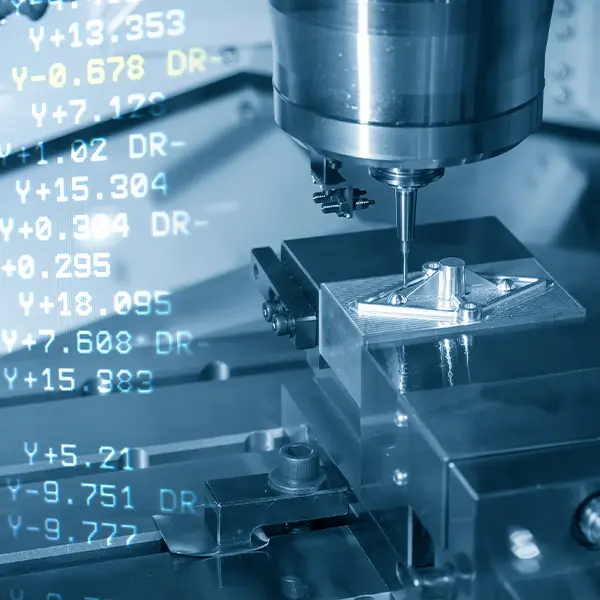
Post-processors translate generic toolpath data into machine-specific code, accounting for controller type, machine kinematics, and supported commands.
G-Codes & M-Codes: The Language That Controls CNC Machines
G/M codes are the standardized programming language used by most CNC machines. They define:
- Tool movement directions and speeds
- Spindle rotation and feed rates
- Tool changes and coolant commands
While modern CAM systems automate G/M code generation, understanding the fundamentals remains important for troubleshooting, optimization, and safe operation.
Steps from CAD to CAM
1
Exporting a CAD Model into CAM Software
Models are transferred using native files or neutral formats such as STEP.
2
Preparing the Model for Machining
This includes orienting the part, defining stock size, and selecting work coordinate systems.
3
Checking for Geometry Errors
Gaps, overlaps, or non-manifold geometry can cause machining failures if not corrected.
4
Creating Toolpaths
Engineers select machining strategies such as roughing, finishing, drilling, or contouring.
5
Setting Machine Parameters
Begin with one high-impact use case, then expand across the enterprise.
6
Configuring Nesting for Efficiency
For sheet-based processes, nesting optimizes material usage and reduces scrap.
CNC Machines in CAM
CNC Routers – High-Speed Cutting and Engraving
CNC routers are commonly used for wood, plastics, and soft metals. They excel at high-speed cutting, engraving, and panel processing.
Water, Plasma & Laser Cutters – Precision Energy-Based Cutting
These machines use waterjets, plasma arcs, or laser beams to cut sheet materials with high accuracy and minimal mechanical force.
Milling Machines – Removing Material with Precision
CNC milling machines remove material using rotating cutting tools. They are widely used for complex prismatic parts and multi-axis machining.
Lathes – Rotating Material with Stationary Tools
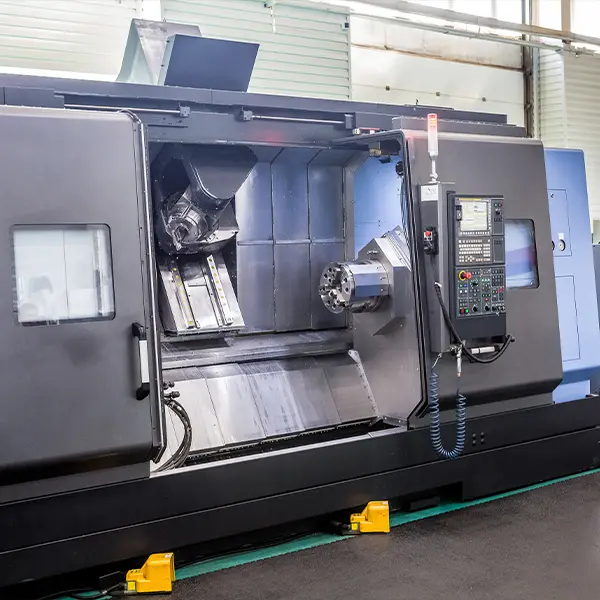
CNC lathes rotate the workpiece while tools shape it, making them ideal for shafts, bushings, and cylindrical components.
Electrical Discharge Machines (EDM) – Cutting with Electrical Discharges
EDM machines use controlled electrical sparks to erode material, enabling the machining of hardened metals and intricate geometries.
The Human Element of CAM
Traditional vs. Modern Machinists
Traditional machining relied heavily on manual setup, hand calculations, and operator experience. Modern CAM environments shift much of that complexity into digital systems, but skilled professionals remain essential.
Importance of Skilled Professionals in CAM Operation
Even with advanced automation, CAM success depends on people who understand materials, machines, and manufacturing constraints. Skilled professionals ensure that digital instructions translate into safe, efficient, and reliable production.
Key Roles in CAM Operations
- Operator – Loads raw materials, unloads finished parts, and monitors machine operation
- Setup Operator – Configures fixtures, tools, offsets, and loads G/M code programs
- Programmer – Defines toolpaths, machining strategies, speeds, and feeds
- Manufacturing Engineer – Establishes standardized processes, validates manufacturability, and monitors performance
Key Benefits of CAM in Manufacturing
Increased Productivity Through Automation
CAM automates repetitive tasks, allowing machines to run longer with less manual intervention.
Reduced Lead Times and Improved Responsiveness
Digital workflows make it faster to go from design changes to updated production.
Precision and Consistent Quality
CAM ensures repeatable accuracy across batches, shifts, and facilities.
Minimization of Human Error
Automated toolpath generation reduces the risk of manual programming mistakes.
Optimized Material Usage
Advanced nesting and toolpath strategies minimize scrap and rework.
Energy Efficiency
Streamlined processes reduce idle time, unnecessary tool movements, and wasted energy.
Ready To Get More From CAM?
When CAM is aligned with your machines, materials, and production goals, it can significantly improve efficiency and consistency. Connect with our team of experts below to explore what that could look like for your operation.
The Impact of CAM
Technological Improvements
- Multi-axis machining enables complex geometries
- High-speed toolpaths reduce cycle times
- Additive manufacturing integration improves material efficiency
Challenges in CAM Adoption
- High upfront costs for machines and software
- Difficulty recruiting and retaining skilled CAM professionals
Advancements in CAM Technology
Modern CAM systems increasingly incorporate:
- AI and machine learning for adaptive feeds, speeds, and process optimization
- Digital twin technology for virtual testing and validation
- Predictive maintenance based on real-time machine data
- Cloud-based CAM for collaboration across locations
CAM plays a growing role in sustainability initiatives:
- Circular manufacturing through repair, reuse, and remanufacturing
- Sustainable material selection supported by process simulation
- Waste reduction through optimized toolpaths
- Energy efficiency via smarter machine utilization
Challenges & Considerations
Manufacturers adopting CAM must address:
- Skills gaps through training and workforce development
- Integration with ERP and MES systems for data continuity
- Simplified user interfaces to broaden adoption
- Collaborative ecosystems involving software providers, manufacturers, and educators
Future of CAM in Manufacturing
CAM is central to the evolution toward Industry 4.0 and IIoT-enabled factories. As adoption grows, CAM will continue to:
- Enable real-time monitoring and adaptive control
- Support smarter, more connected production environments
- Drive efficiency, precision, and innovation across industries
For many organizations, the next step is not just adopting CAM—but fully integrating it into real-world machine shop operations.
Conclusion & Key Takeaways
Computer-Aided Manufacturing has become an essential foundation of modern manufacturing. By connecting digital design with automated production, CAM manufacturing enables higher productivity, consistent quality, and sustainable operations.
As technology advances and integration deepens, CAM’s role will only continue to expand. Exploring CAM solutions—whether through pilot projects, training initiatives, or industry events—can help organizations prepare for the next generation of manufacturing challenges.
Key Takeaways
- CAM translates digital designs into automated machine instructions
- Tight CAD/CAM integration reduces errors and lead times
- Skilled professionals remain critical despite automation
- CAM supports sustainability, efficiency, and innovation
- Future advancements will further connect machines, data, and people
